
Faithful giving is one of the most tangible ways we honor God and invest in the ministry He has entrusted to us here at Faith Baptist. We want to make it as easy as possible for you to be faithful.
Faith Baptist Church uses Nucleus Giving as our secure online giving platform. You can give in minutes from your phone, tablet, or computer — and set up automatic recurring gifts so you never miss a week.
How to Give Online
You don't need an account to give — but creating one makes the process faster every time after and gives you a personal dashboard to track your giving history.
Here's how to get started.
Step 1 — Visit Our Giving Flow
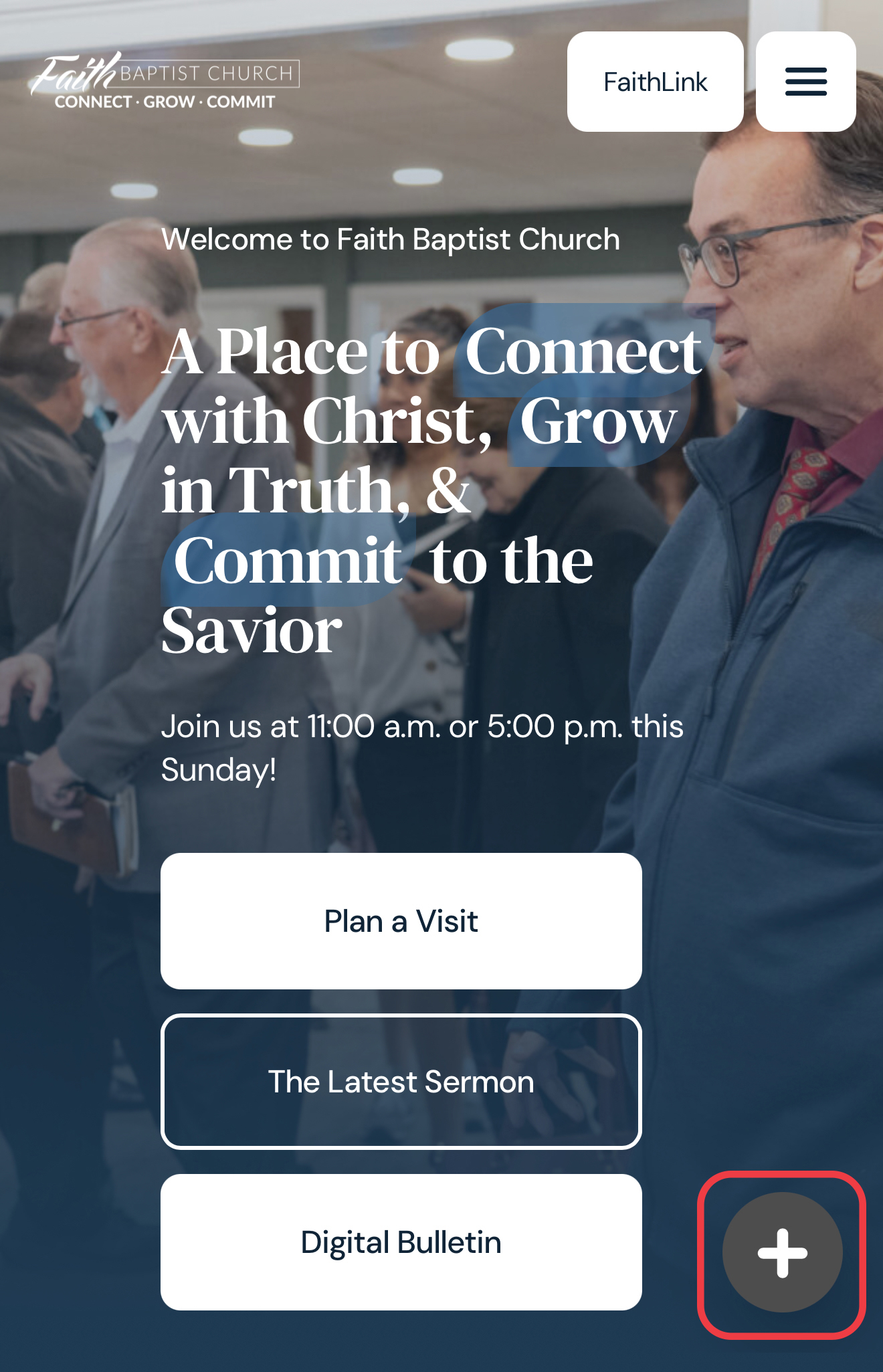
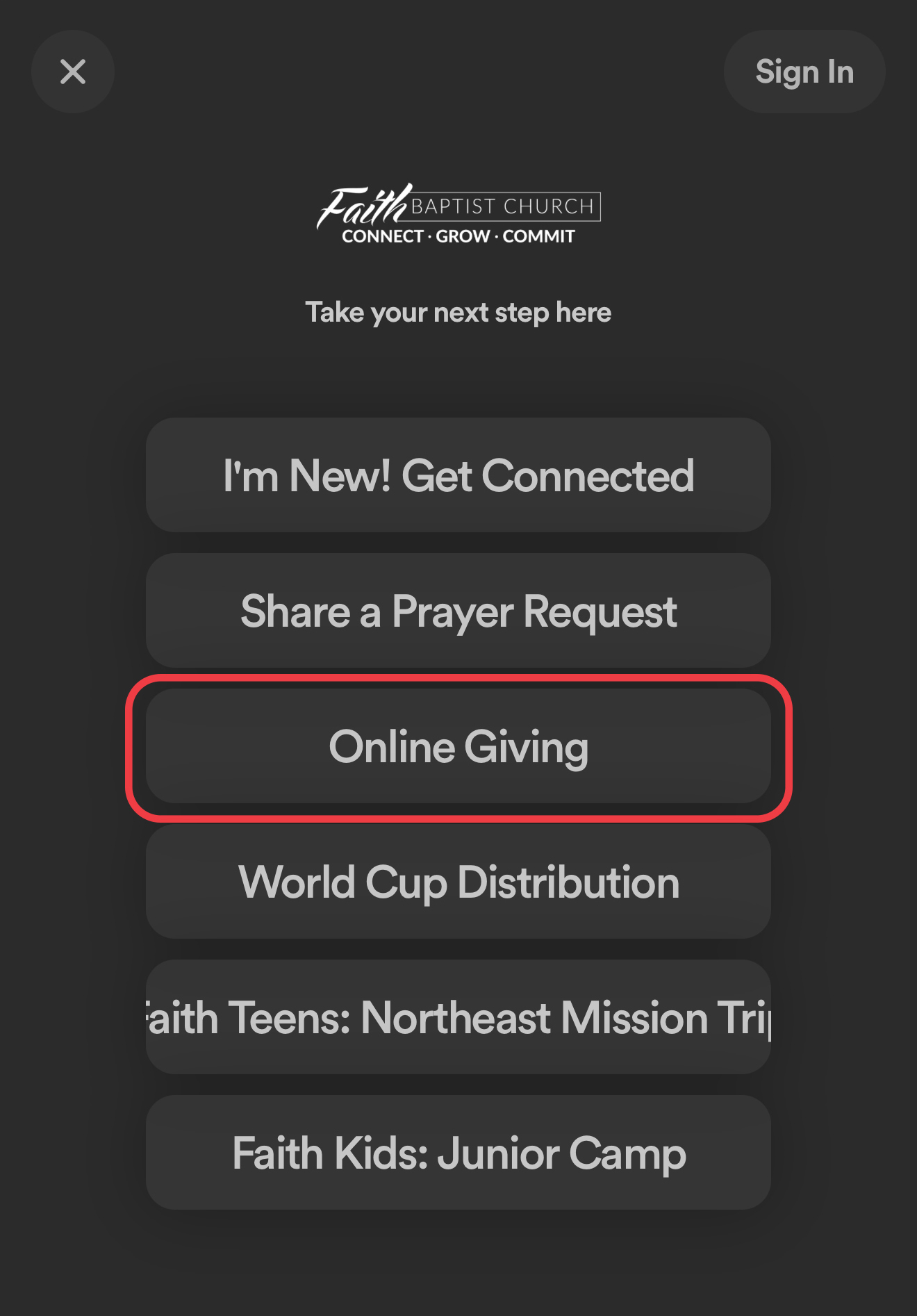
Access online giving through the launcher accessible on each page of our website
and click the Online Giving button in the menu.
Step 2 — Enter Your Gift Amount
Type in the amount you'd like to give. You'll see available giving funds listed — choose the one that applies to your gift (General Fund, Missions, etc.).

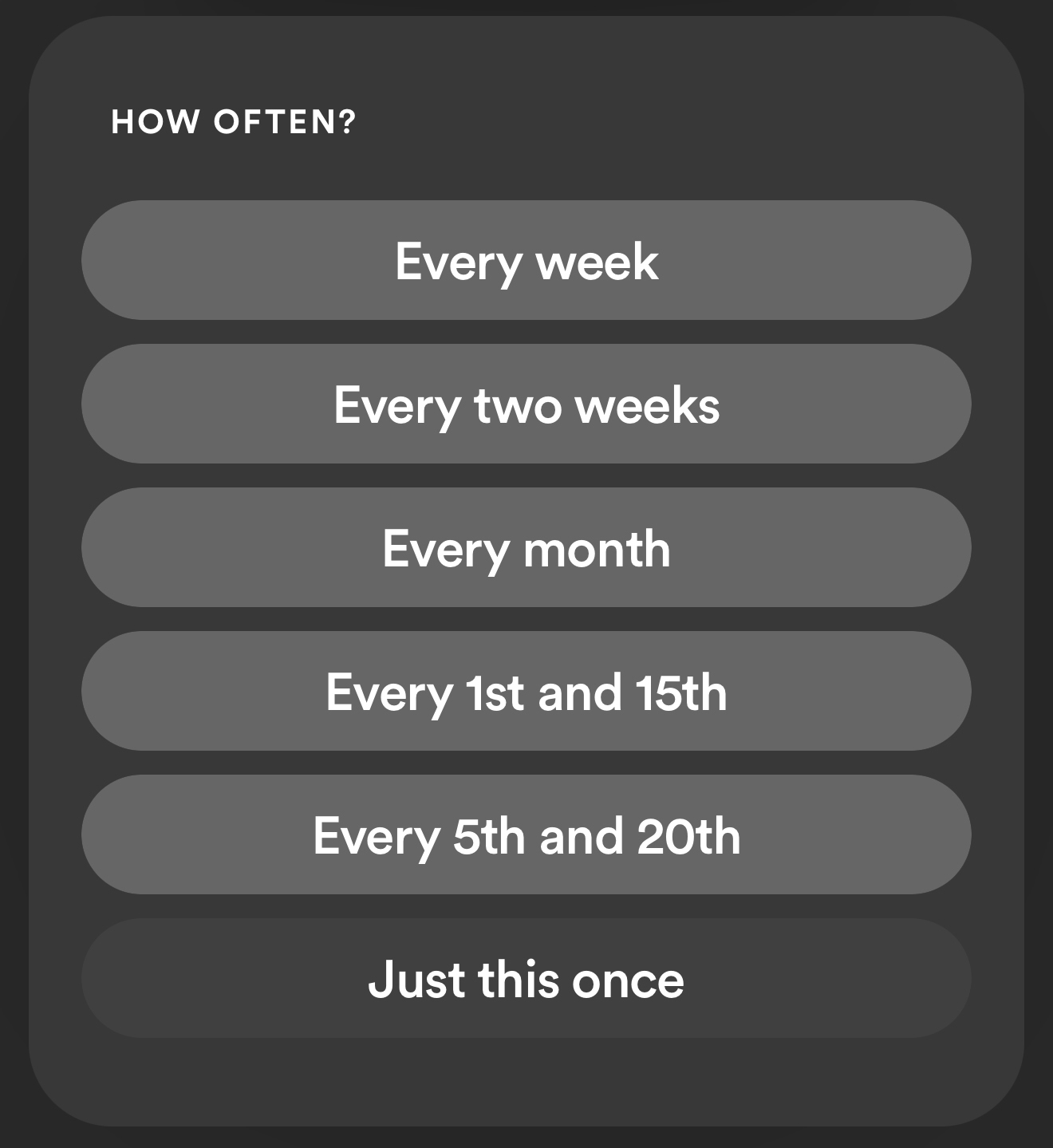
Step 3 — Choose Your Giving Frequency
You can give as a one-time gift or set up a recurring gift on a weekly, bi-weekly, or monthly schedule. Recurring giving is a great way to stay consistent in your stewardship even when life gets busy.
Step 4 — Select Your Payment Method
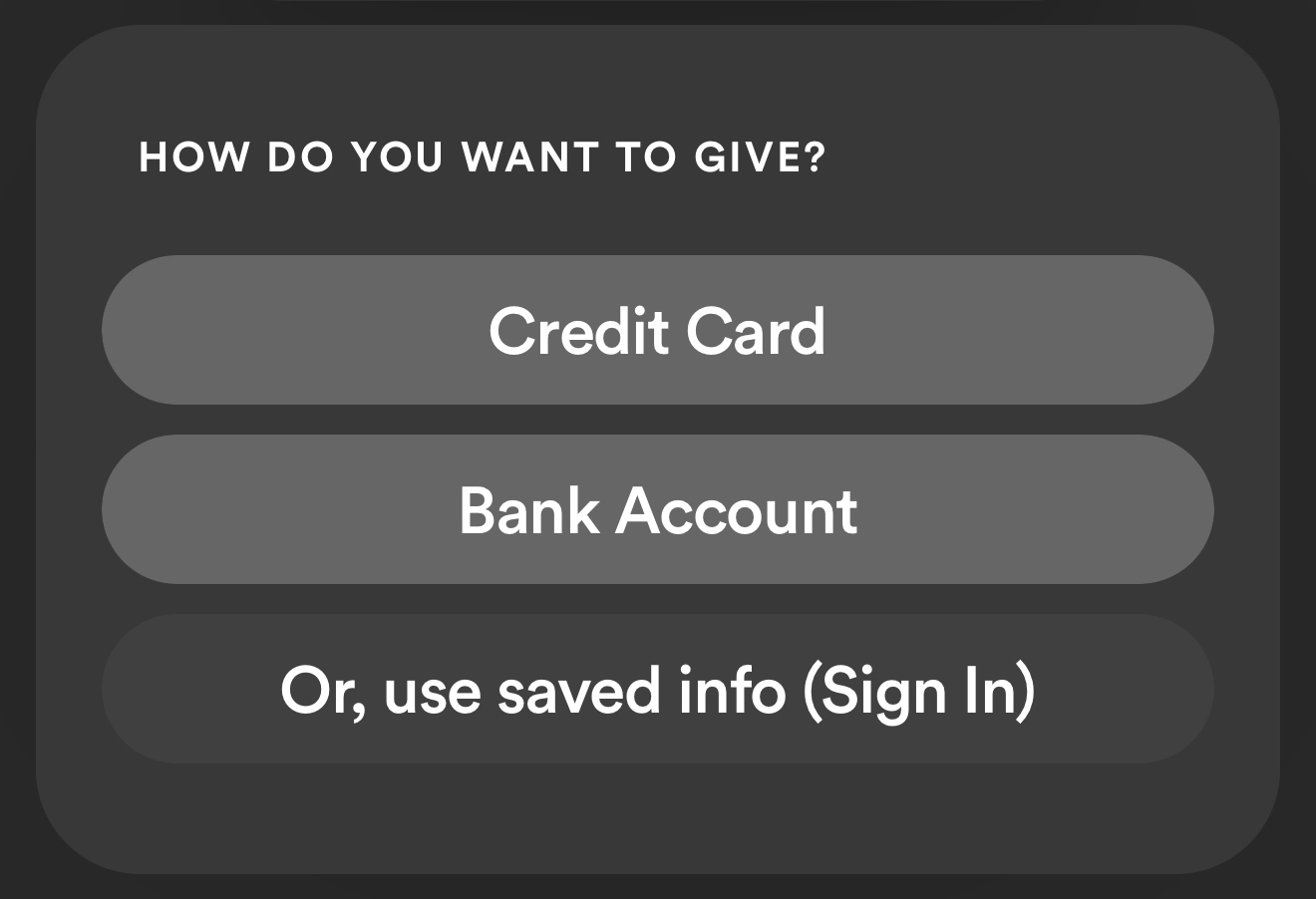
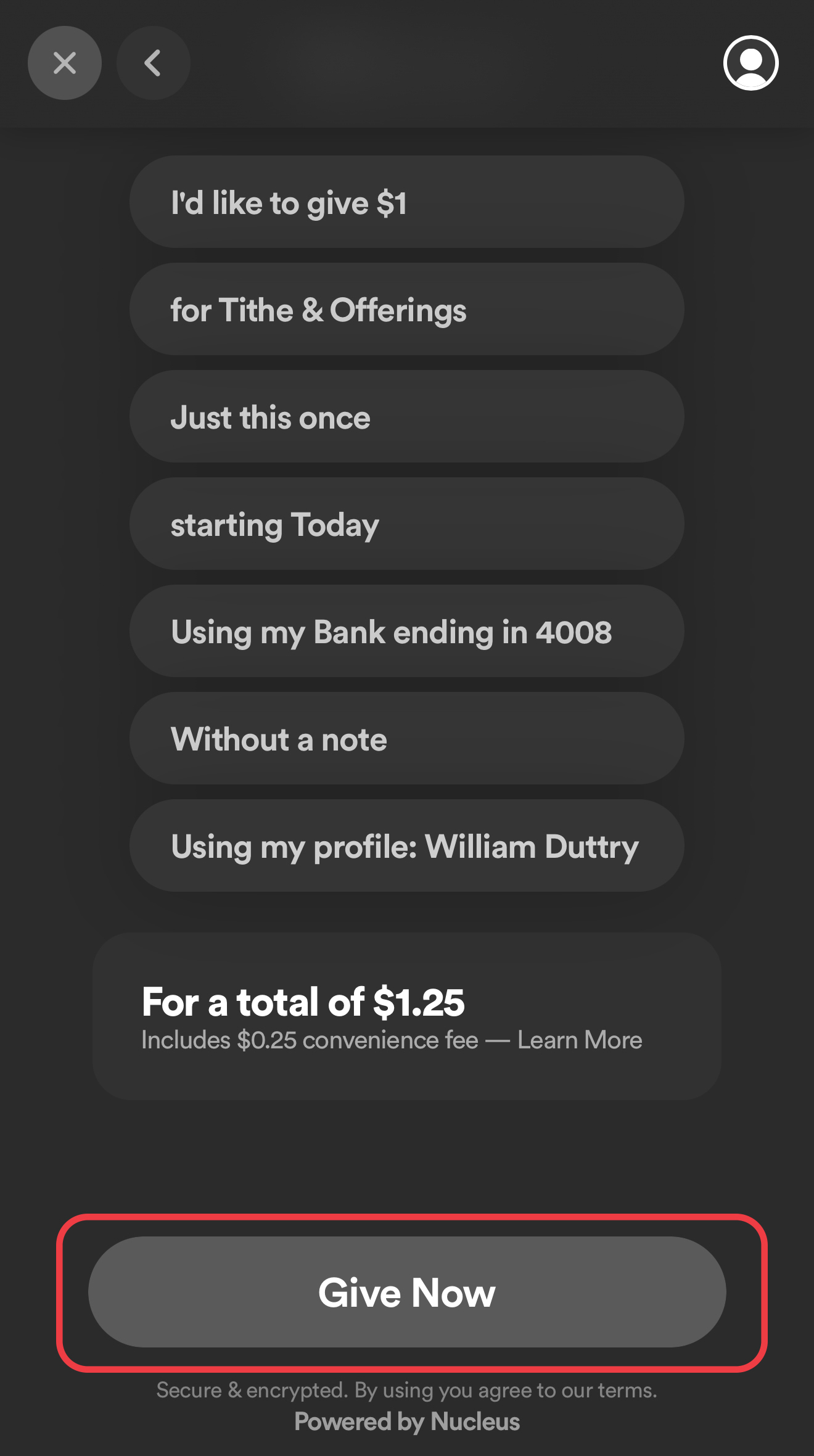
You can give by credit or debit card, or connect your bank account directly (ACH). Giving by bank account is the simplest and most cost-effective option — the processing fee is just 25¢ per transaction.
NOTE: When selecting Bank Account, there are two options, using Plaid or entering manually. If you don’t already use Plaid entering manually will make for an easier process.
Step 5 — Complete Your Gift
Enter your payment details, add an optional memo, confirm your contact info and submit. You'll receive a confirmation email right away.
Want to Create an Account?
Creating a free Nucleus Giving account lets you:
- View your complete giving history
- Access your annual giving statement for tax purposes
- Save your payment method so future gifts take just seconds
- Manage or update recurring gifts at any time
To create your account:
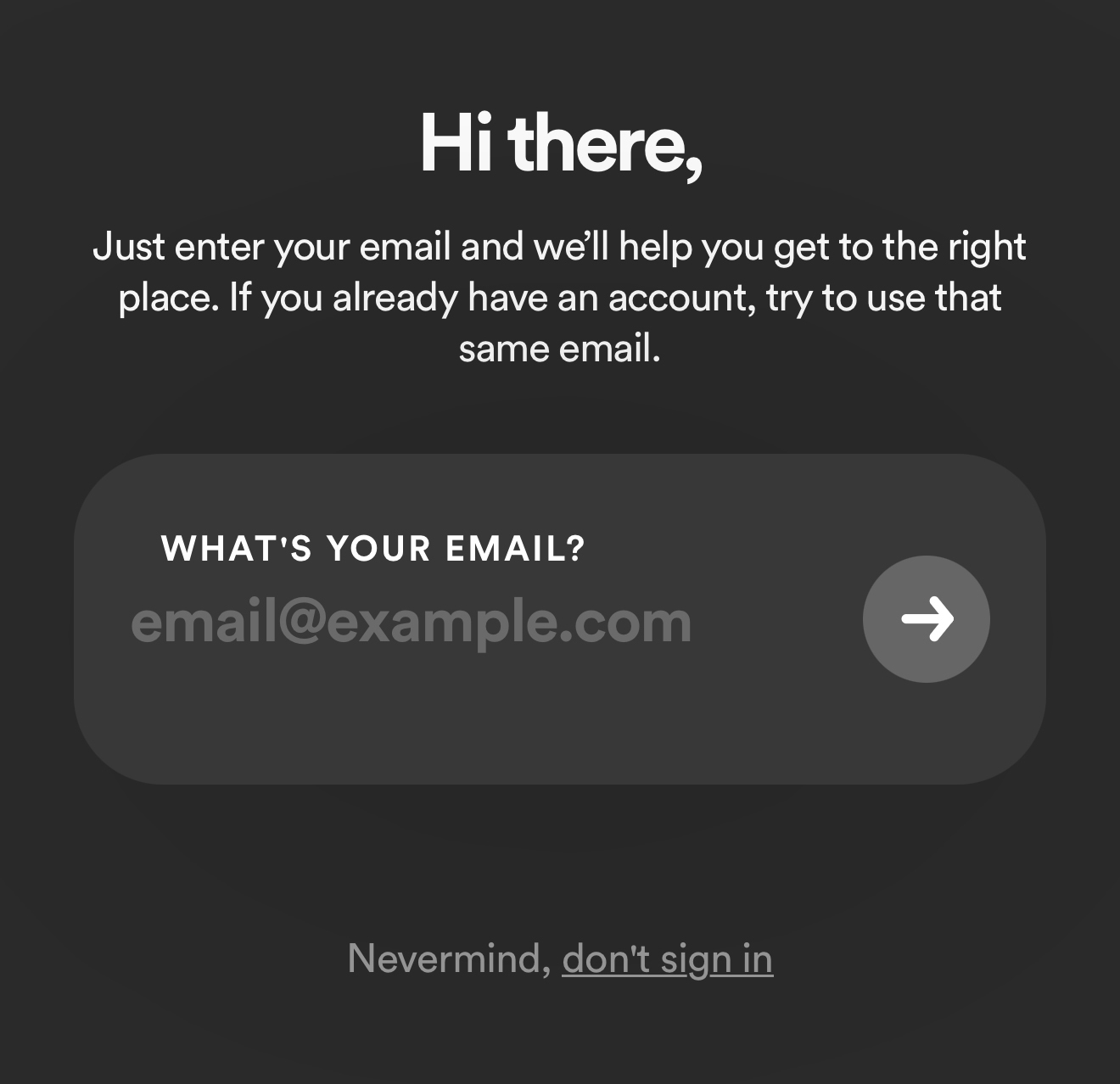
- Go to the launcher and click Sign In
- Enter your email address and create a password
- Check your inbox for a verification email and click the confirmation link
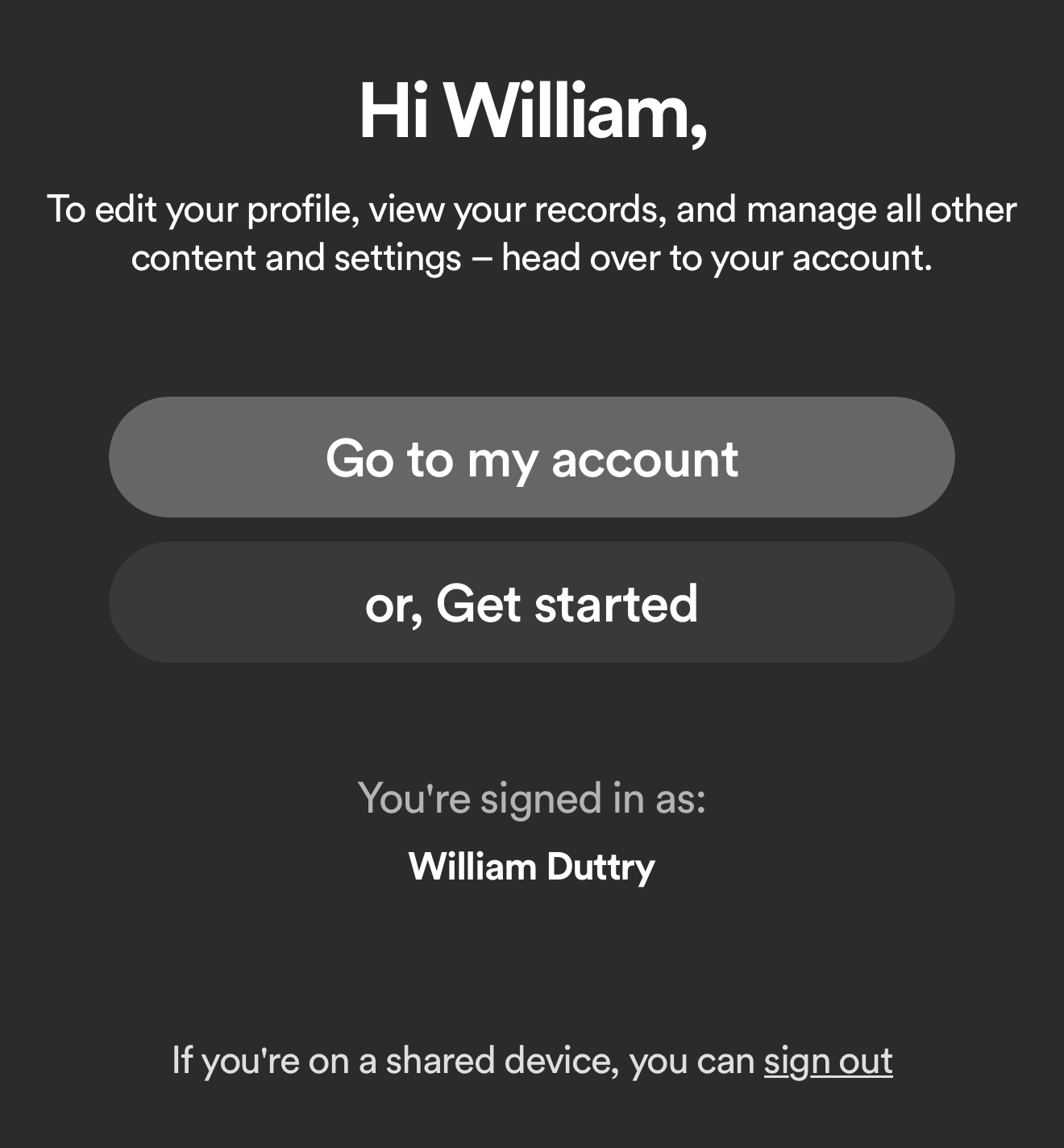
- Once verified, click My Account to fill in your profile details
Managing Your Online Giving
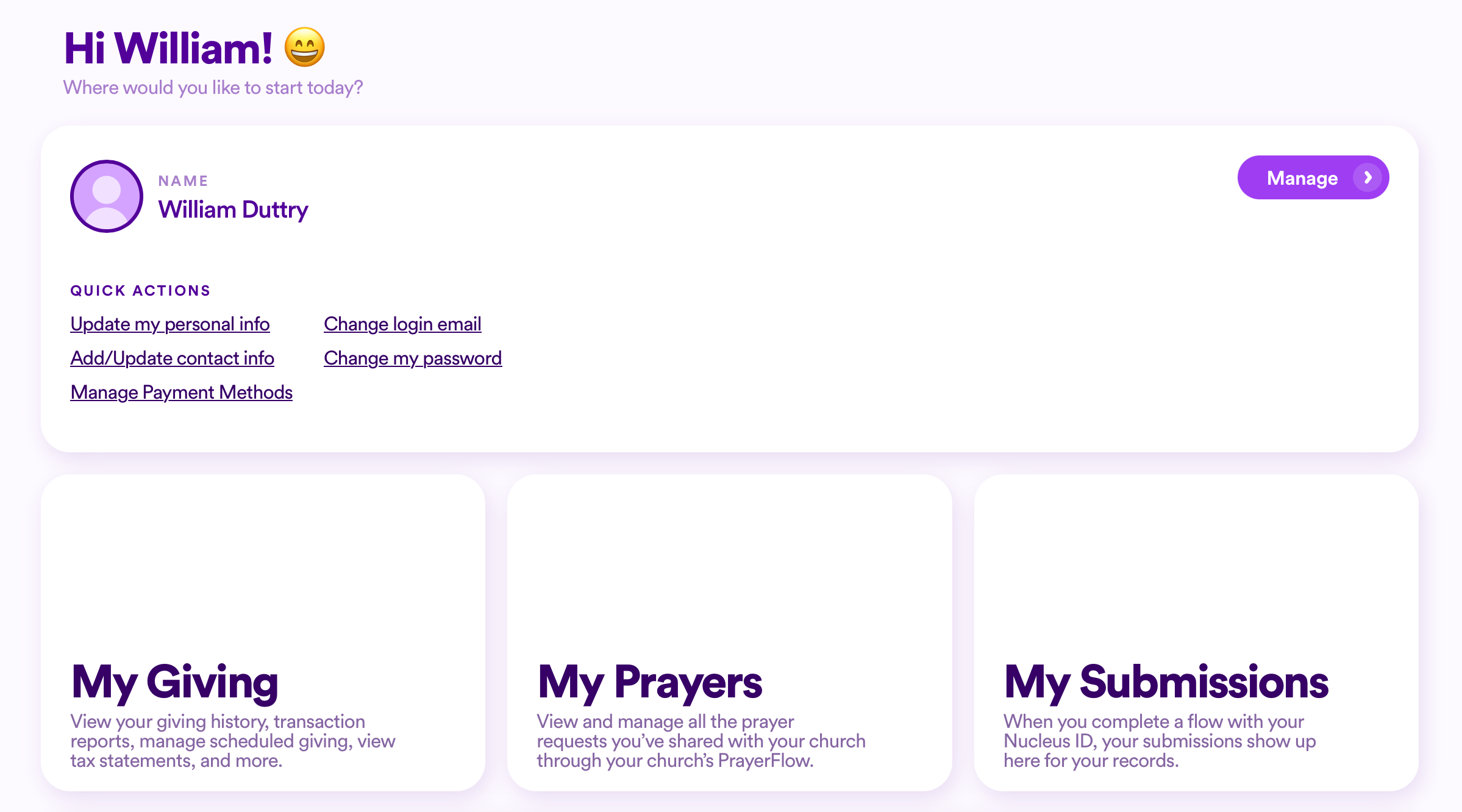
Once your account is set up, you're in full control. From your personal dashboard you can:
- View past gifts and download giving records
- Update a recurring gift — change the amount, frequency, or payment method
- Cancel a recurring gift if needed
- Access your annual tax statement once it's been released by the church office
Need Help?
If you run into any trouble setting up your account or completing a gift, reach out to the church office — we're happy to walk you through it.
2 Corinthians 9:7
Every man according as he purposeth in his heart, so let him give; not grudgingly, or of necessity: for God loveth a cheerful giver.